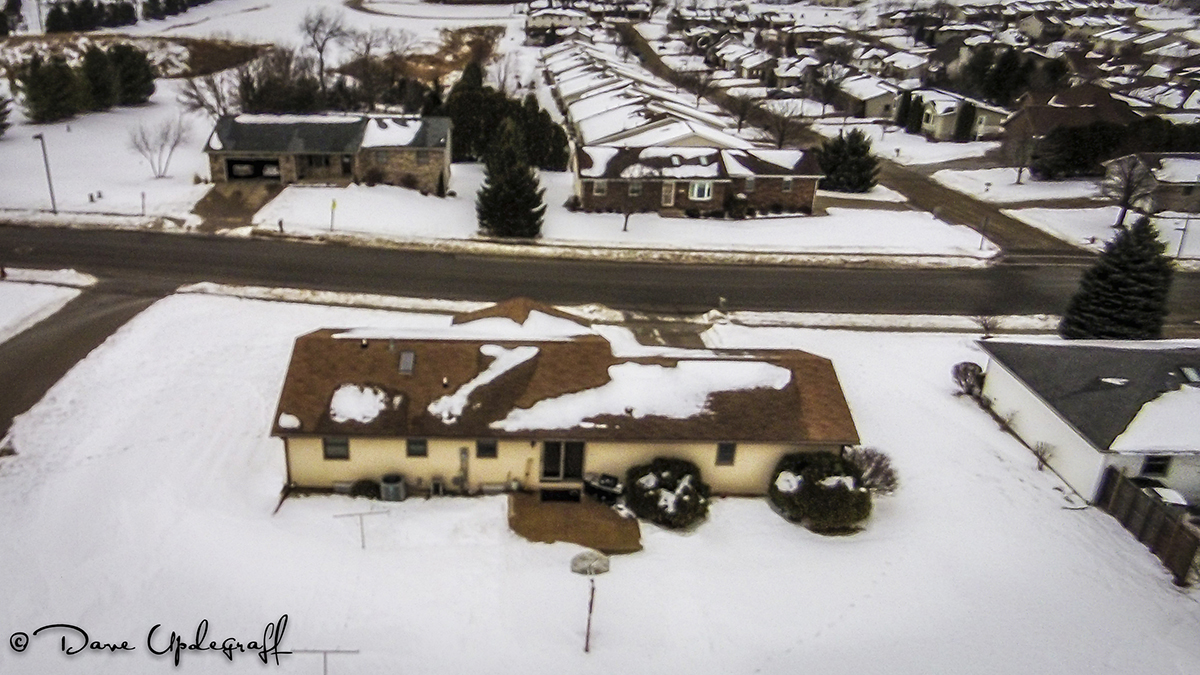
A short post today as I am true to form running late. I’m still experimenting with the images from the Phantom from my Monday experience. I didn’t take any still images but lifted the two images used for this post from the video. Therefore the quality of the images is pretty soft and was very noisy. After I removed the noise the images were really soft. Like I said I’m still testing and evaluating and trying new things.
I gave a program on the Phantom today and about my losing contact with it out over the Mississippi. I think the Rotarians enjoyed the presentation and I had fun telling the story and showing the 10 minute video.
I would have liked to give them a demonstration of what the Phantom looks like in flight but the temperature was a balmy 4 above with 15 – 25 mph winds so I opted to just do a PowerPoint presentation with some images and the video.
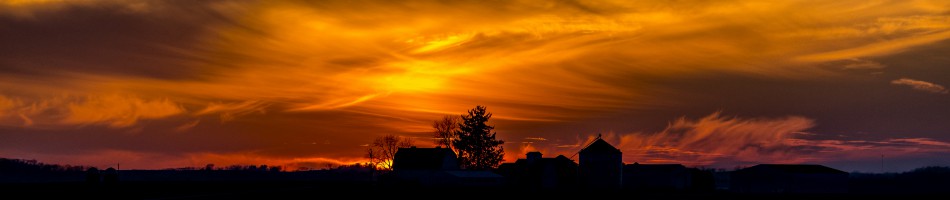
As you look at the image above if you focus on the middle of the image you will see me standing between the two benches flying the Phantom. I cannot actually see the Phantom because of the bright sky and my dark glasses but I could still see the POV application on my iPhone.
So if you think about how small I look to the Phantom (and trust me I’m not small) you can understand why I couldn’t see the Phantom once I got close to the bridge. I won’t make that mistake again.
That’s it for today. I hope you have a great Thursday. Thanks for stopping by the blog. Be careful.
Happy Tuesday! I have an amazing story to share with you today. I’m somewhat embarrassed yet over joyed to share what happened yesterday to me and the Phantom. I had yesterday off because of MLK day and I really wanted to go flying somewhere other than our neighborhood. I piddled around in the morning and then around 11:00 a.m. the sun came out and even though there were a lot of white clouds in the sky there was also a good amount of sunshine. It was 34 degrees so that wasn’t too bad. The wind was a little high about 22 m.p.h. but acceptable.
So where to go? I wanted to take an image of the Julian Dubuque Bridge I said to myself, so I loaded up the Phantom and a camera and off to East Dubuque I went. I went to the boat launch on the Illinois side of the river because it is close to the bridge and I reasoned I wouldn’t have to venture too far from my ground location. When I arrived it was apparent they had not cleared the snow in some time and so there was no good place to launch the Phantom from. As I sat there contemplating my next move I reasoned also that flying close to the bridge might be distracting to some motorist and that might cause an accident and I’d spend the rest of my life in jail. 🙂
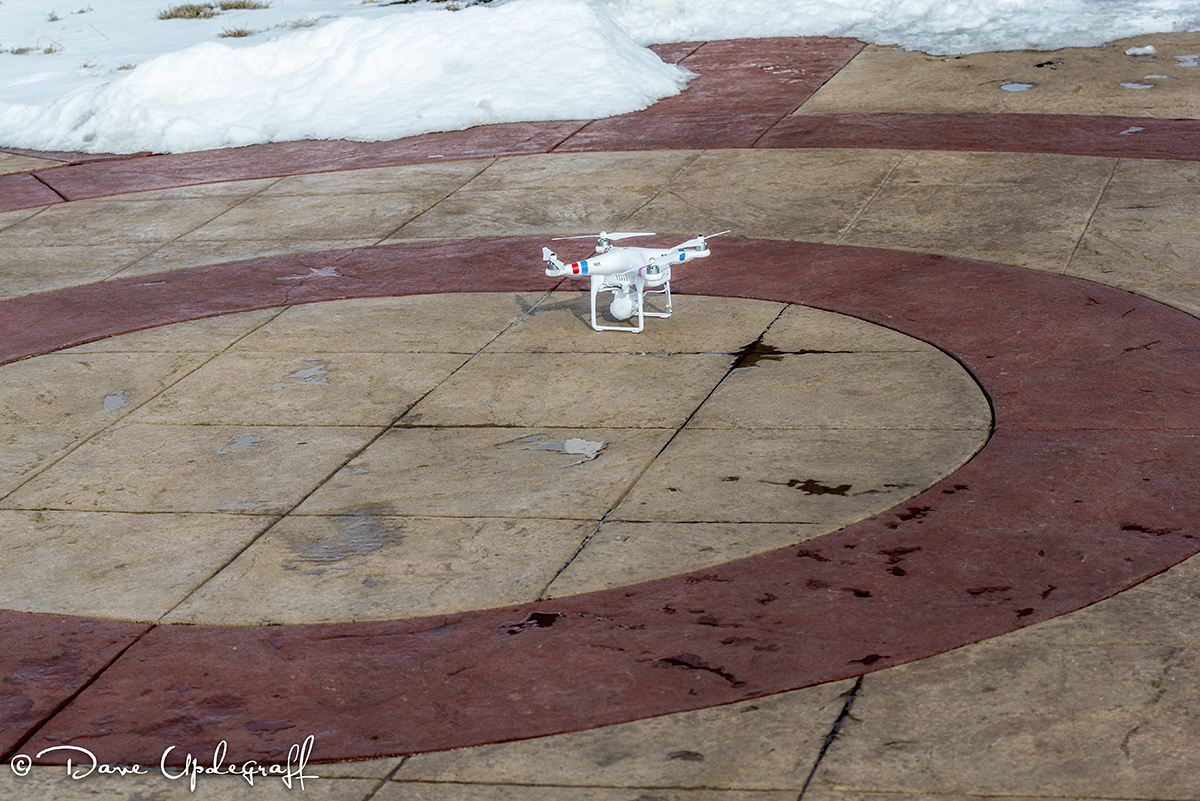
Ah ha, to the Great River walk and I can take a video and some images of the old rusty railroad bridge. Yep that is what I’m going to do. Again I won’t have to get too far away from where I’m standing so it will be perfect. Fast forward now I’m standing on the river walk and I have the Phantom sitting on a circular pattern on the walk and thinking about my flight plan. So I fired up the Phantom and it jumped into the air. Now it is here that I have to explain a few things. First of all I wear transition lenses and they get very dark. Very dark indeed. So it is hard to see my iPhone and the flight app with them on. If I take them off I can see my iPhone but it is a big blur so I have issues.
Second the river is completely covered with snow. Snow is white (remember that), there are a lot of white clouds in the sky (remember that) and the Phantom is white. So I ran it up to an altitude of 112 feet so I could be sure and get a good clearance over the bridge and then I stopped and rotated the Phantom so I was looking at it from the other side. That is where I must have gotten disoriented. I could not see the Phantom so I wasn’t sure exactly where it was. I could make out the bridge on the iPhone so I flew it like that. I thought I cleared the bridge and was back near the place where I was standing but nothing looked right and of course I couldn’t see the Phantom so I was mildly concerned.
Finally I got it oriented to where I could see the Wisconsin Bridge and the Railroad Bridge and felt like I was re-acclimated once again. The wind was pretty strong and the more I tried to come back to the bridge the farther away I seemed to get. I couldn’t see my monitor good enough to really tell where I was but I also knew I could eventually figure it out. Then the worst thing happened. A “Lost signal with the Phantom” message appeared on my iPhone. Oh CRAP!! Now what. Well I can’t believe I’m that far away but I must have flown further than I originally thought. So I started walking South on the river walk thinking I was over by the Julian Dubuque Bridge.
I couldn’t connect to the Phantom so I figured I must have gotten turned around and it was North. I walked to the end of the river walk and then climbed a fence and walk another 150 yards or so trying to reconnect with the Phantom. It was nowhere to be found. OMG, now what? How am I going to explain this to Jeanne, to my readers of the blog, to my friends at work, hell to the insurance company? To say I felt dazed and dejected would be an understatement. I felt really bad. How could I have been that stupid, with less than an hour of flying experience under my belt, to take it over the Mississippi River. I walked back a lot slower than I had gone out so it was about 25 minutes from first taking off by the time and I knew that the Phantom had a 25 minute flight endurance on one battery. I finally got back to the bench and where I had left the Phantom’s case.
As I approached the bench there on the River Walk not more than 12 inches from where it had taken off set my Phantom. In one piece, fully powered down and just sitting there waiting for me to pick it up. So I reconnected with its WiFi and stopped recording. I had hopped it had recorded the entire event so I could tell where in the hell it had gone to. Sure enough it was still recording so I stopped the recording (see Lesson #5) and then powered down the Phantom again. I wanted to kiss it but I didn’t (in public anyway.) 🙂
The video below is the flight that I made. I cut out the long 10 minute hovering part until it went into fail safe mode. I’m impressed, just like they said it would do if it lost its connection with the controller it would return home. I didn’t turn the controller off until I started my walk back. So even though I had lost contact with the WiFi connection from the Phantom it was still receiving contact with the controller. When I shut the controller off, that is when it went into its fail safe mode and returned to its launch point. WOW!
So if you want to watch the video it is about 10 minutes long. Again I trimmed the sitting and waiting for me to turn off the controller so it could come home. Lesson #6.
Thanks for stopping by. Enjoy your day and be careful.
Happy Monday! I’m enjoying a day off from work in honor of Dr. Martin L King’s Day. The weather yesterday cooperated (sort of) and I got to do some more flying. It is clear to me that I still have lots to learn. I’ve watched a lot of videos on flying, read the instructions, and spent a fair amount of time on the Phantom Forums, however there is no substitute for actually getting out and learning first hand.
So yesterday I decided to fly from my back yard for two reasons. One I only had half a battery and I wanted to make sure I could land safely when the battery was low. The app on my iPhone makes a loud warning sound that repeats when you get to 20% battery left. Anyway I had a misstep on my first attempt at getting airborne and bounced the Phantom into the snow, which meant that the camera was buried in snow. 😦 So I cleaned it up and dried it out before trying again. (Lesson #1)
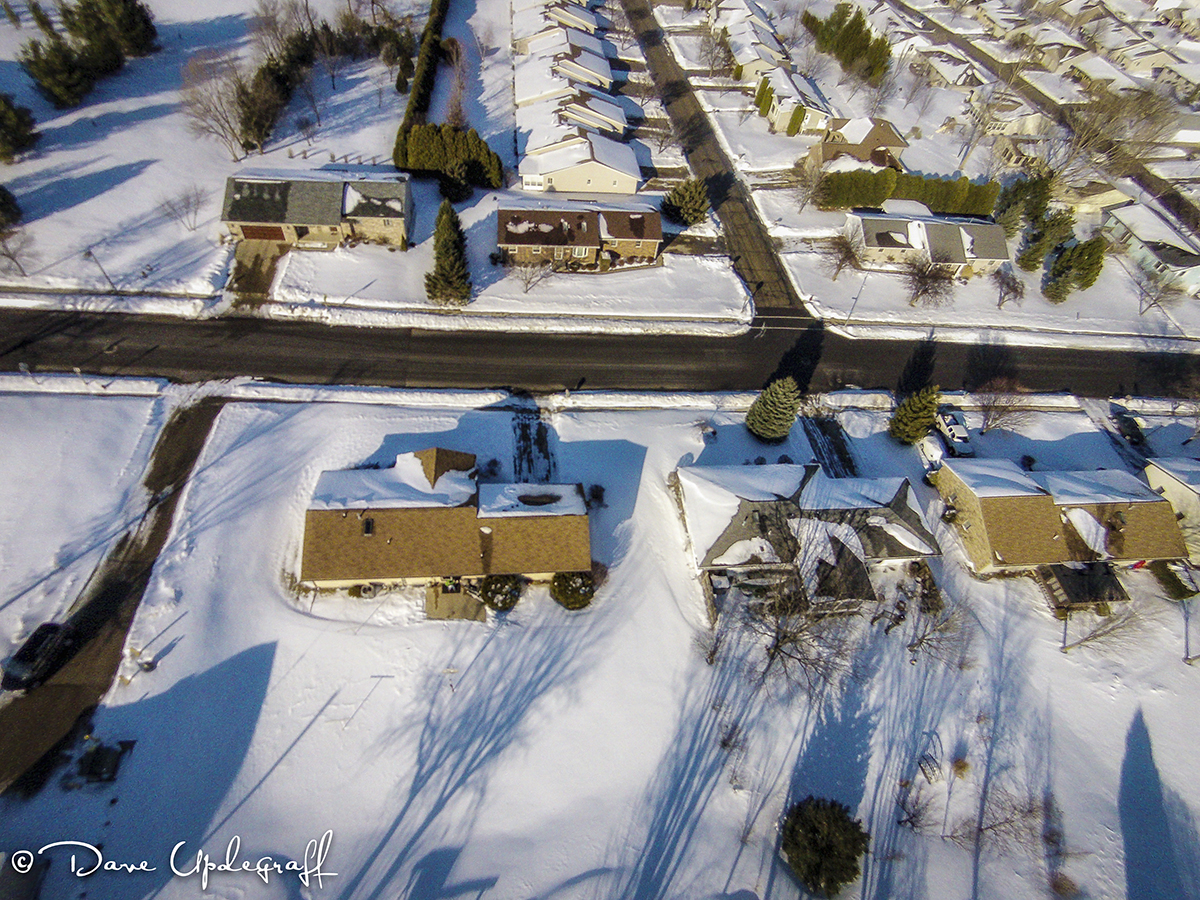
I got brave enough to fly to 358 feet in altitude. I actually couldn’t see it from the ground and of course that made me very nervous. I had the point of view live image on my iPhone but in the bright sunlight it was hard to see where I was. I still do not have the camera configured properly. I’ve got some more work to do on that and learning what the best setting for the camera is. Anyway I flew it over the house and wanted to take an aerial shot of my neighbor’s home to make a nice framed image to give him for helping with my snow removal. I need a lot more work on composition and positioning of the Phantom. (Lesson #2)
By the way that little green spot in the middle of the patio is me. 🙂
I got a little braver and drove out to the industrial park. There is a nice fishing pond and walking path there and I wanted to practice flying around a given area. As you can see from the video below there is an old bridge that they have set across part of the pond, however it is not yet open to the public.
So I flew around the pond and just where the video stops I took a couple of images of the ice fishermen. I wanted to get closer but again my motto is that I don’t want to spoil anyone’s day so until I learn how to control the Phantom I’m keeping it very far away from people. When you take a still image you have to shut the video off and take the images. Then you have to remember to turn the video back on. (Lesson #3) So I missed the coming back to the parking lot and a great landing because I forgot to turn the video recording back on. I still see live point of view images while flying but just not recording what I see.
After landing and checking everything out I decided to get a little bolder. So I did a low flyover of the bridge (it was pretty cool if I do say so myself) and then went up and around the pond again only at a lower altitude. This time when I came back to the parking lot I let the Phantom hover and I walked over to it and looked into the camera and waved (I thought that would be cool.) I took the first image on this post and then landed the Phantom.
When I got home none of that video nor some of the other video that I wanted to show was retrievable. I kept getting the files are corrupt. 😦 Damn camera! Then I thought it has to be something I’ve done so I went to the Phantom Forums. Sure enough after about 20 minutes of searching and reading I found the problem. When you land and are ready to shut down you have to shut the video capture off and power the flying app off. Then turn the Phantom off and then your video will not get corrupted. (Lesson #4)
So much to learn and such a little brain to learn it with. Doesn’t look like very good flying weather today. I’ll have to see this afternoon. I was standing in the shade (so I could see the video) at the industrial park and without the sun shining on me I froze like a Popsicle. Found it hard to land the Phantom because my fingers were so numb.
That’s it for today. Hope you enjoy your Monday. Thanks for stopping by the blog and be careful.
Not much for today. I thought I had lost this 46 second clip of the landing. Of course I also thought I kept the camera running as I landed but I didn’t do that either. Anyway I found the clip in a place it should have never been.
The weather was lousy yesterday (at least in my estimation) for still or video. The wind was up around 25 mph gusting to 30 mph so no flying the Phantom. Overcast day so it is very hard to shoot eagles in that type of condition. I opted to take lessons on video editing instead. There is always so much to learn and I love it.
Thanks for stopping by. Enjoy your Monday and be careful.
I was telling you last week that I had added a new tool to my photography tool box and the image above shows it. It is the DJI Phantom 2 Vision®. A “Flying Camera.” It has an integrated 14.5 mp camera that shoots RAW images and it also shoots 1080p video.
I was not interested in a Remote Controlled (RC) airplane, for a variety of reasons. One I’m not that good with eye / hand coordination. I don’t like looking up at the sky for long periods of time. They are expensive and crash often. What I was interested in and the sole reason for purchasing the Phantom was it is primarily a system to get aerial images without having to get into an airplane. Since I hate flying I really like that.
It is a GPS controlled flying platform with 4 propellers that spin in opposite directions to help stabilize the camera. I have watched about two weeks worth of video instruction about how to fly the Phantom and it is a learning curve like any system but it is very easy to get and keep in the air. Now admittedly I have a total of 3 minutes in the air but I reached an altitude of 106 feet, took some pictures, flew about 100 feet away, returned to my take off point, made a perfect and very soft landing. 🙂
There are a lot of steps to go through to finally get in the air and yesterday was not a good flying day. I didn’t really realize how bad it was until Jeanne and I got to the launch point. The temperature was about 29 degrees with a 20 mph wind. It was colder than a Witch’s heart. But I couldn’t stand it any longer and had to see if I could get it in the air without hurting it, me, or anything else. Jeanne got pretty far away from the launch site but came closer when I landed.
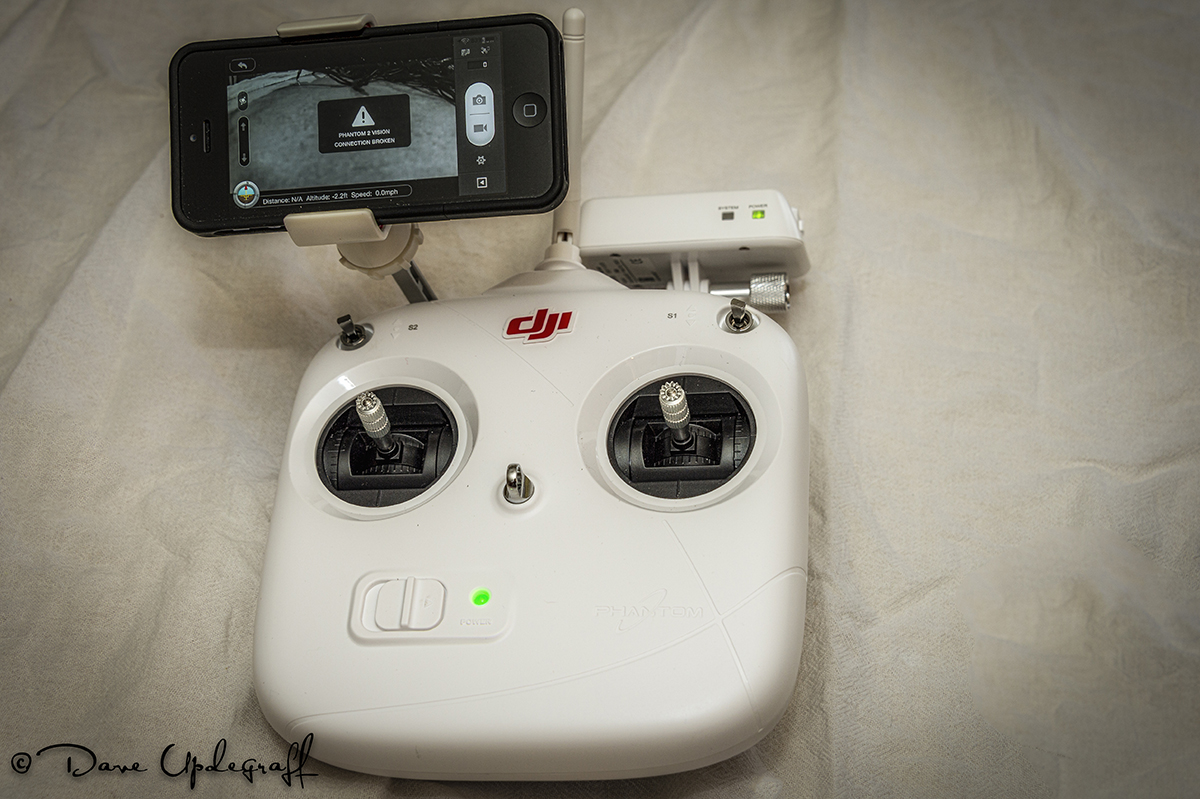
As you look at the controller you can see that I have my iPhone attached to it. The flight controller has a WiFi transmitter (more like a repeater) that picks up the WiFi signal sent by the Phantom and it becomes a network for your iPhone (or Android.) Once connected to the Phantom network, what the Phantom’s camera sees is transmitted (via an App.) back to the iPhone. In other words you fly from a first person point of view (FPV.) Also there are controls on the iPhone App, that let you control the up and down angle of the camera and you control the zoom and angle with the Phantom itself.
What I didn’t take time to do (I just forgot about it) because I was anxious to get the Phantom in the air was to configure the camera. I did that after the flight but that is why the image below looks so bad. It had the lowest resolution setting (which is how it was shipped from the factory.) I didn’t set the video properties up either so the video isn’t very high quality in this clip.
Having said all that it was the most fun I’ve had in 3 minutes that I can remember. Well like I said that I can remember. 🙂 So I took off from the school playground (which is behind our house) and flew it up and over the trees (then switched to the still camera function) took some images (low resolution) of our home and then flew it back to the play ground. Did I mention I made a perfect landing? The video is a little jerky because of the wind and my quick direction changes.
As you watch the video you will also notice that the video shows a 15 degree list to the port side. That is because the Phantom actually is flying West (sideways) into the wind to maintain it’s prescribed position (North) as determined by the 11 satellites that it had locked onto.
There is no question that I have a lot to learn but like anything practice does help as I have found with my normal photography. I’ve still got a long way to go with it but I’ve seen improvement over the years. I just imagine where I can go with this flying camera and the things I can capture images of and I get very excited. I have a list of over a hundred things I was to capture from the air and areas I want to explore. The Phantom has a maximum altitude of 400 feet (although several videos on YouTube® have show flights much higher than that. That is also the FAA’s regulation for UMV flights. It has a range of about 500 feet in length although again there are a lot of videos with people flying them 1,000 feet away from their controller.
One of the cool things about the Phantom is its “Return Home” feature. If the signal is lost or if the battery is too low it will go into the RH mode, fly to an altitude of 60 feet and return to the place (within 3 feet) of where it took off.
Yep, I forgot to add a opening image to this video but if you click on the little > above it will show you about 1:05 minutes of my first flight.The video runs for about 4:00 minutes (a video editing error on my part) so you can just stop it if you don’t want to watch 3 minutes of black screen. 🙂 Okay since I posted this I have figured out how to add an image to the video, shorten it to the actual 1:05 minutes and at about 10:00 a.m. the original lighting should be back. It was easier to get the Phantom into the air then it is to show it here. 🙂
That’s it for today. Hopefully the weather is a little better for flying today. I have a little more confidence now so I’m going to try one of the areas on my list. Hope I have some good video to show you Monday and no sad news about any crashes.
Thanks for stopping by. Enjoy your day and be careful.






 Upde Designs